


This blog post is still being edited…
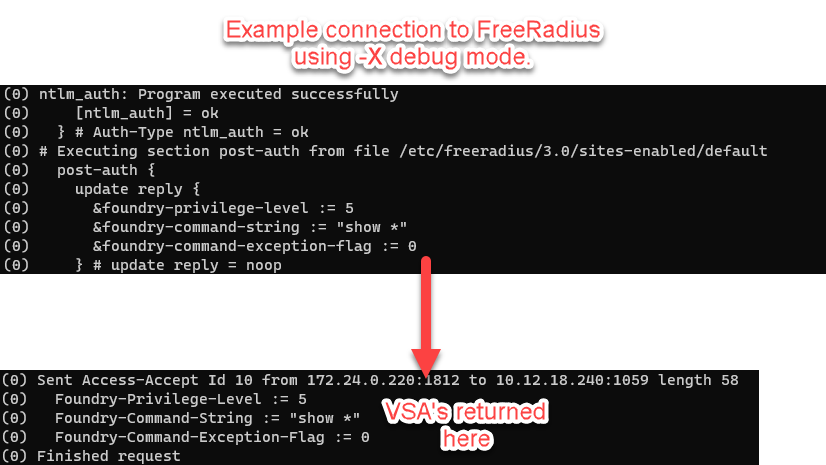
By default, when Radius encounters a successful authentication, it will send back an access accept message to the radius client that initiated the request. This access accept is interpreted (by most devices) as full-authorization, since there are no other options that determine the users scope of access. This is where the idea of Attributes come in.
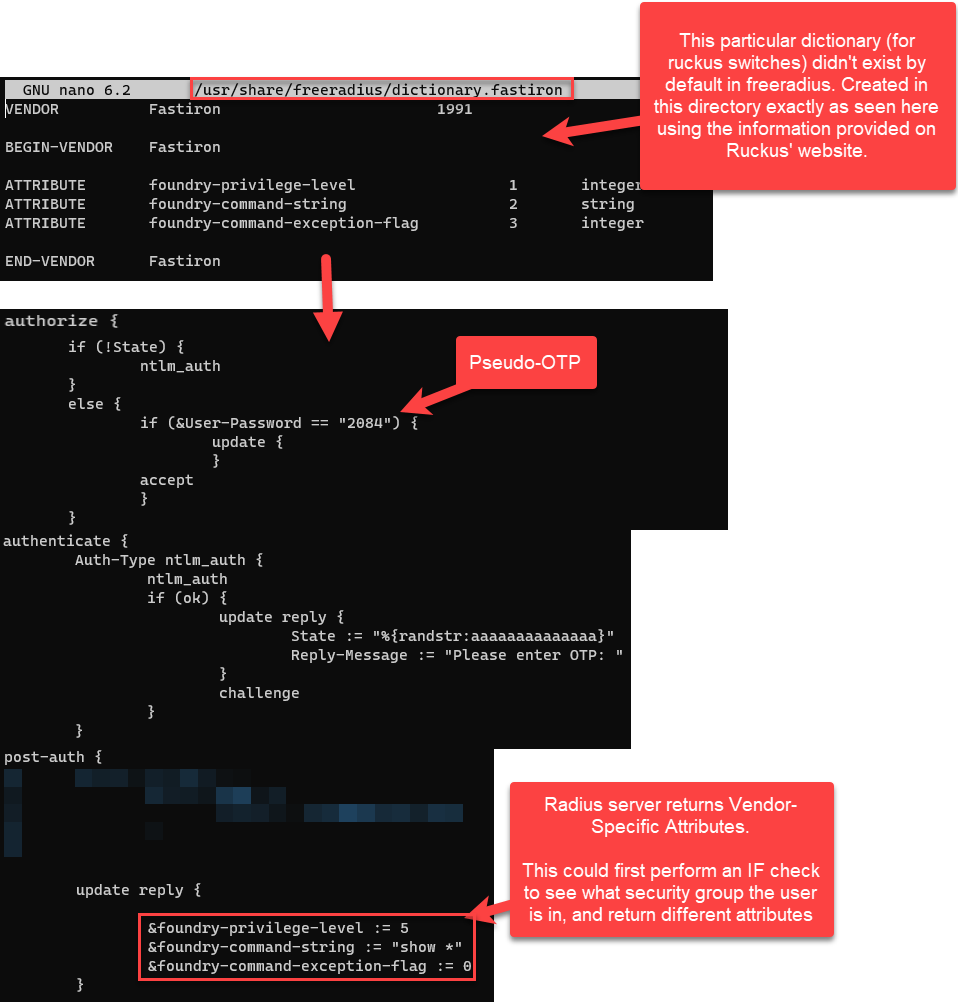
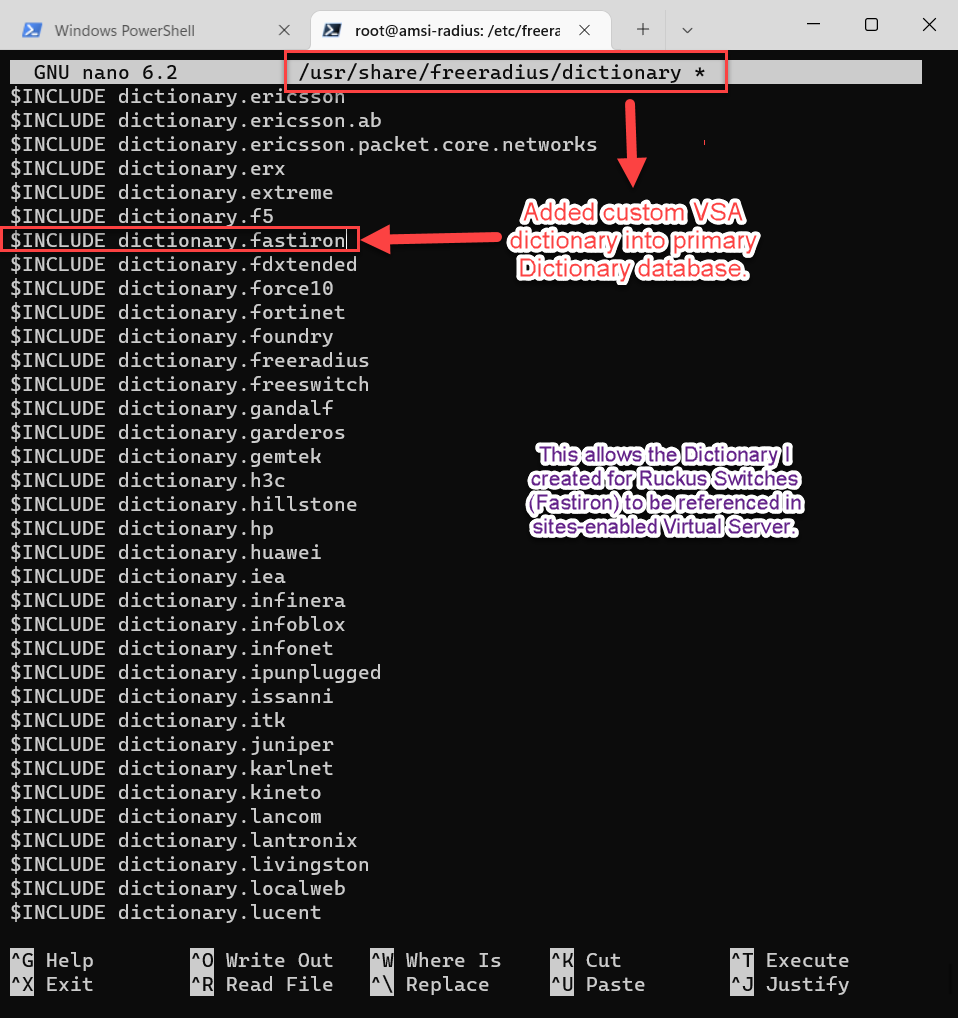
FreeRadius’ implementation of Vendor Specific Attributes (VSA’s) is pretty straightforward. For our use case today, Palo Alto and Ruckus Wireless already have pre-installed dictionaries in the FreeRadius share directory. However, if need be, you can use the same formatting to create custom-dictionaries to match any vendors not already included. Dictionaries are just the term used for a specially formatted text file that Freeradius can interpret for updating its reply to a client.
It’s important to know that vendor equipment will just drop any Radius attributes that they don’t understand and process the ones that they do. This helps in scenarios where the source IP address of multiple different clients is hiding behind the same NAT. What this means is that you don’t have to create multiple Freeradius Virtual Servers that are listening on different ports where we point different vendor device to (e.g. Palo Firewalls authenticate to 1810, Ruckus Switches to 1811, and Ruckus Wireless to 1812). It should be fine to combine all of the attributes needed to return for all Vendors from the same Virtual Server.

- https://freeradius.org/rfc/attributes.html
- https://freeradius.org/documentation/freeradius-server/4.0~alpha1/tutorials/dictionary.html
- https://docs.paloaltonetworks.com/pan-os/9-1/pan-os-admin/authentication/authentication-types/radius
- https://docs.ruckuswireless.com/fastiron/08.0.60/fastiron-08060-securityguide/GUID-A3193D90-3FF4-4B04-8C6D-084743FDE91C.html
- https://stackoverflow.com/questions/68373116/sending-vsas-from-freeradius-and-openldap
- https://stackoverflow.com/questions/56918015/returning-custom-user-attributes-in-the-radius-reply
 The Packet Blog
Leave a comment